
A multipurpose app, called GardenHood, that can help urban communities combat inequality and instability by assisting users with gardening.

UX Researcher, UX Tester, Prototyper
Figma, WhatsApp, Google Drive, Pexels.com
Jessica Nwankwo, Thi Thu Hien Nguyen, Ann Eyoessien, Thi Mai Nguyen Phung, Anneli Nurmi
September 2024 - December 2024 (14 weeks)
GardenHood is a multiuse application that helps users plan out their gardens, take care of their plants, and connect with other people in the community. Within the community aspect of this application, users can create events to meet other people, make advertisements for help taking care of their garden, and trade seeds or tools.
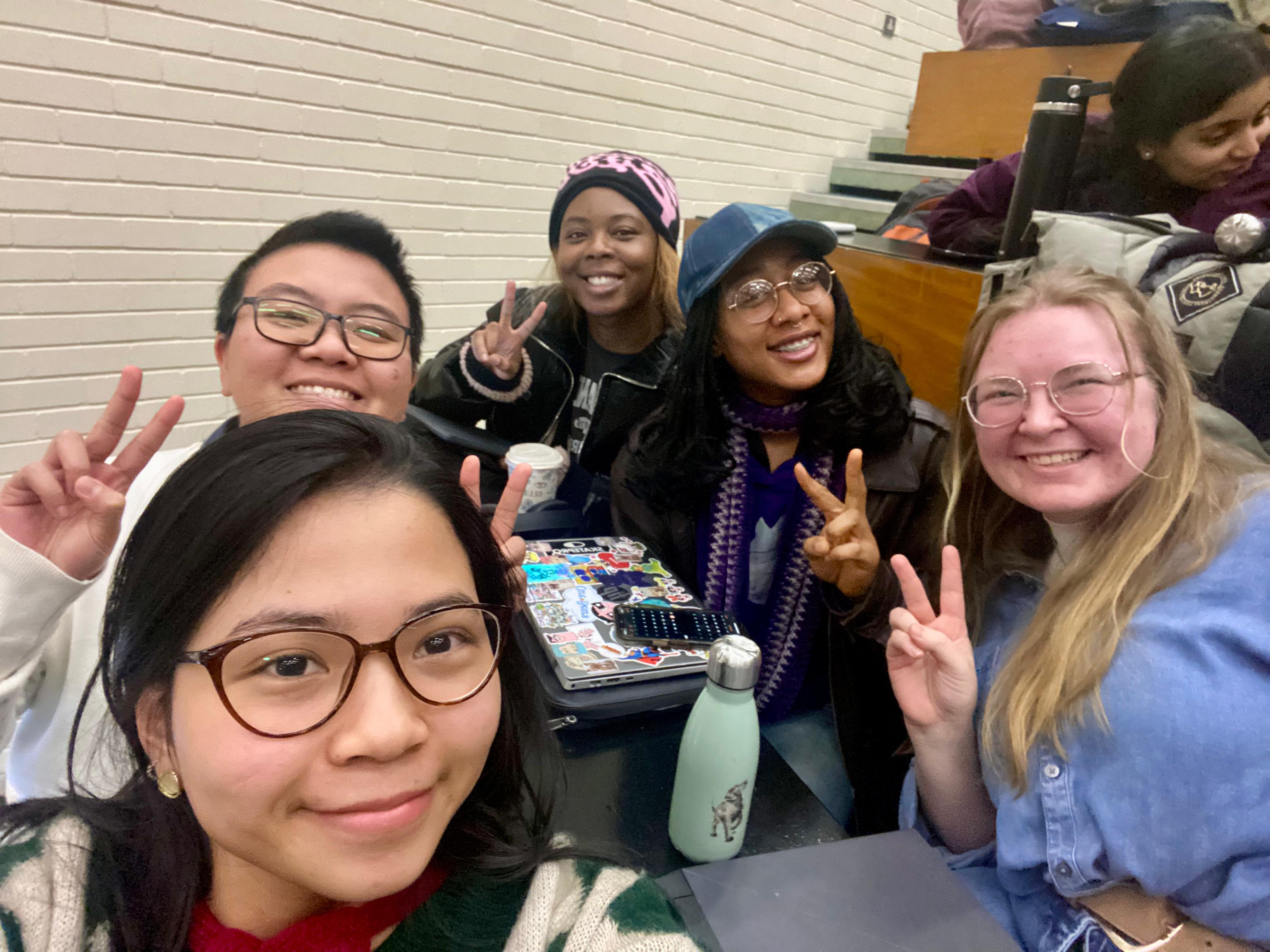
I worked in a team of five using design thinking to create GardenHood in our UXD module in the HCI master's program at UCD. My duties involved user research, visual design, prototyping, and user testing.
The problem we identified is that many people within urban areas have little access to nutritional food. This is especially likely for those who live in less privileged areas. With all the space that cities have, many studies have supported the development of urban agriculture to increase food-security (Pulighe, G. & Lupia, F., 2020; Saha, M & Eckelman, M. J., 2017). However, within the time it may take for cities to change, more people continue to risk their health with the poor food choices available. Thus, we figure that in order to create a change, providing individual communities a digital platform to connect and plan gardens.
Pulighe, G., & Lupia, F. (2020). Food first: COVID-19 outbreak and cities lockdown a booster for a wider vision on urban agriculture. Sustainability, 12(12), Article 5012. https://doi.org/10.3390/su12125012
Saha, M., & Eckelman, M. J. (2017). Growing fresh fruits and vegetables in an urban landscape: A geospatial assessment of ground-level and rooftop urban agriculture potential in Boston, USA. Landscape and Urban Planning, 165, 130–141. https://doi.org/10.1016/j.landurbplan.2017.04.015
We used user-centered design as our approach to exploring the Sustainable Development Goals. Including potential users was important for us to understand what problems they had when trying to start a garden within an urban culture as well as the challenges of learning and connecting with others.
This project had four phases: research and requirements, creative design, hi-fi prototyping, and evaluation. Within our research and requirements phase, we explored the surrounding problem of growing gardens within urban city environments and established requirements users needed to overcome those problems. Our creative design phase involved reshaping the problem through the eyes of users and translating the established requirements into a digital app wireframes. Prototyping our project’s final application was done on Figma in order to replicate a realistic experience for user testing. Finally, our valuation phase involved potential users identifying problems of our final prototype. Though design approaches are iterative, we did not have enough time to fix the problems identified in our evaluation phase and instead provide a reflection of how they can be improved in future iterations.
We conducted research to understand the domain of the problem of sustainable gardening in urban cities, how similar products were used, who our potential users were and their goals/behaviors. This section includes the kickoff meeting, literature review, competitor analysis, an online survey, and personas.
Within our initial meeting, we explored the UN’s sustainable Development Goals website to gain a better understanding of the goals the UN and other large organizations were trying to accomplish. We then started to come up with different ideas on who we could get involved with on this project on a low ethical level. Our ideal goal was to create a system that could both connect communities and help plan out gardens. Most applications we saw in our initial research stage only did one thing, such as track plant water levels or identify diseases. Most of those applications were for house plants as well and didn't allow for a customized space to plan for more plants.
The literature review was conducted by Jessica Nwankwo, who explored urban diets, food inequality, and urban agriculture and horticulture. Urban food inequality does not exist only in western cities but as we were limited by our location of our university within Ireland, we did try to connect many of the studies to communities in Dublin, Ireland.
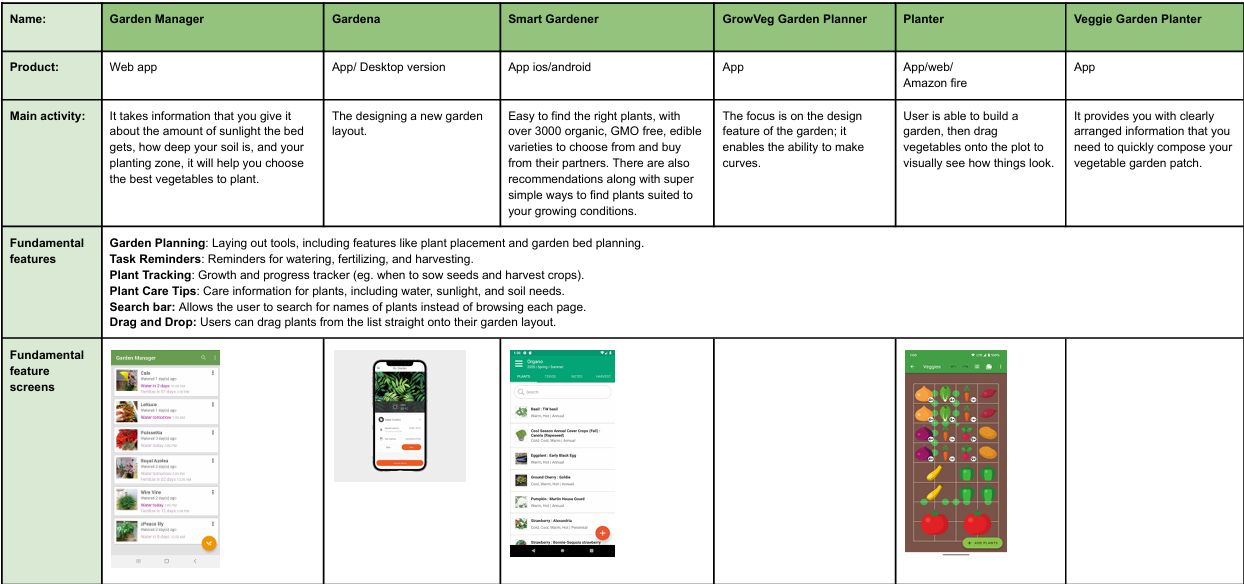
The competitor analysis was conducted by Ann Eyoessien in order to better understand what applications were already available. Current competitors included GrowVeg or Gardena Smart Gardener that were able to tailor their advice based on the user’s climate and soil conditions. Others had intuitive interfaces making it easy to plan a garden. We did understand that multiple options of features could overwhelm users, but aimed to create a streamline interface with plenty of guidance options for new users in our GardenHood app.
As we wanted to involve as many users within the research phase as we could, we opted to create an eight part online questionnaire about gardening and community. We created a list of questions to understand what barriers other people had within their gardening journey. This survey was shared with the UCD Horticulture society as well as other communities in Dublin.
Despite many participants being students, we also got quite a few responses from full-time workers, parents, and retired workers who were interested in gardening. As we expected, the largest reason for the inability to grow a garden was the lack of space (76%). Many people live within apartments, often with other people, limiting the amount of space they have already. Indoor food gardens, like hydroponic towers, do take up space that people, like students, might not have. The time participants believed they needed to have to take care of a garden also contributed to their inability to start gardening (56%), followed by the lack of education or information about how to start and maintain a garden (40%).
However, we also found that our participants did want to have a garden as a hobby (68.3%) as well as to grow their own food (65%). Out of those who did have a garden (51.6%), most consumed all the fruits, vegetables, and herbs they grew although they did not have enough to actively sustain their household (89.7%). While we did not ask the reason for this, we can assume it is due to the previous limitations of time and space. When it comes to connecting with others, many of our participants were uncertain how to connect with other gardeners to learn more and exchange produce.
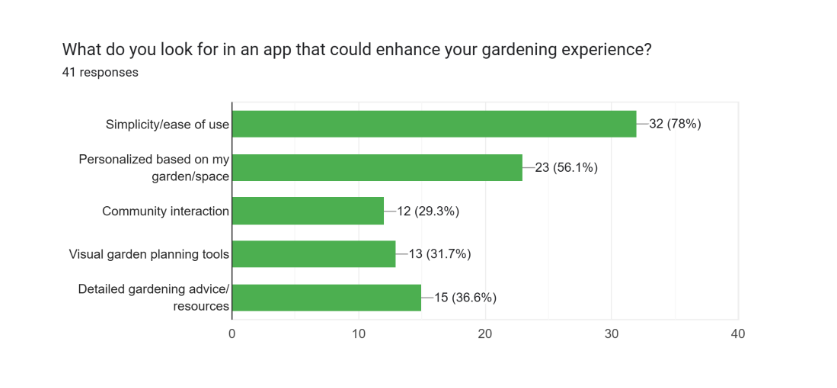
Finally, we asked about our participants’ previous experience with gardening apps. Most who used previous apps stopped due to their poor design or lack of knowledge of how to actually take care of a garden. Many wanted an application that could give tips and reminders on caring for plants but also give access to community forums where they could ask unique questions and get the best responses. This lack of opportunity for connection and communication is where we wanted our app to grow.
Click the image to see all user survey results.
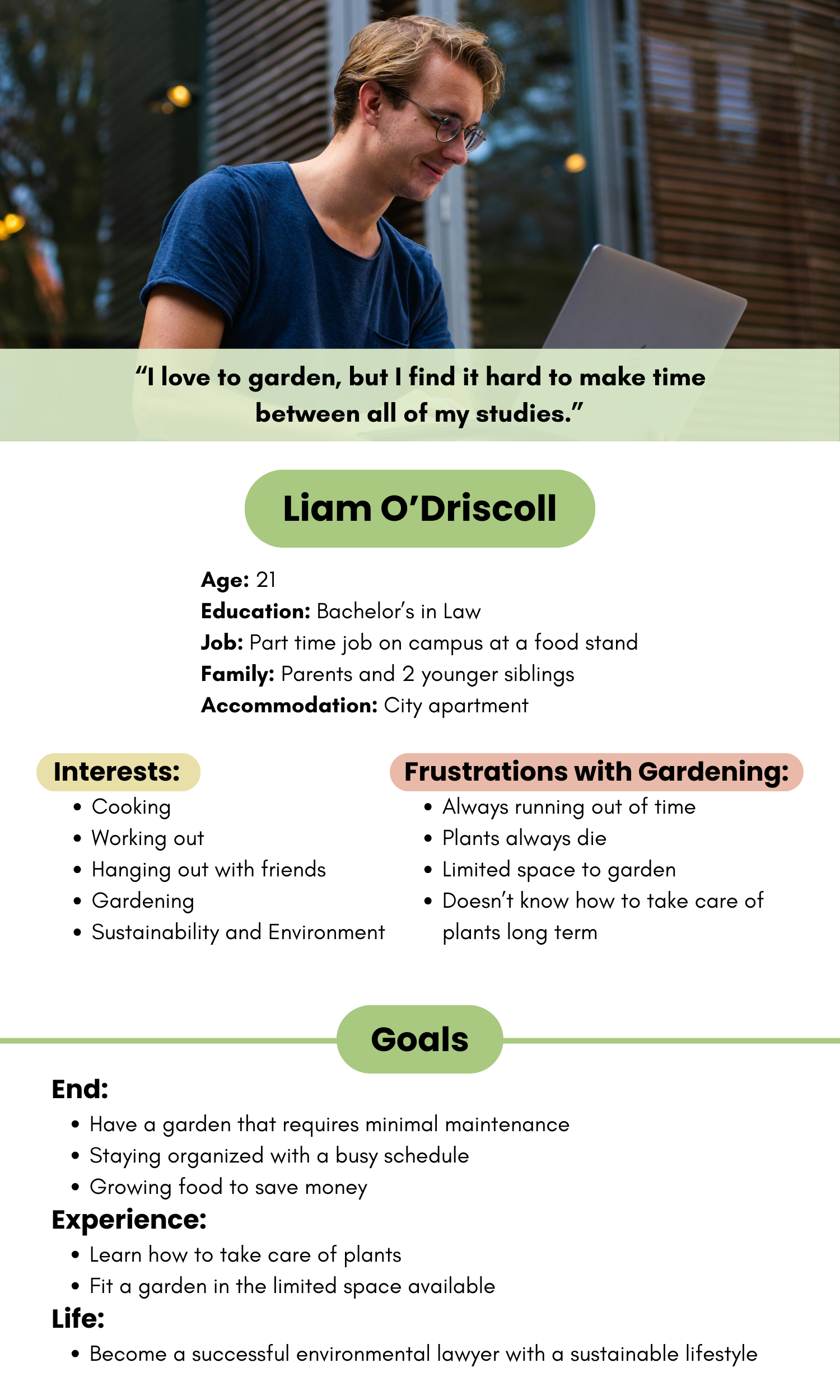
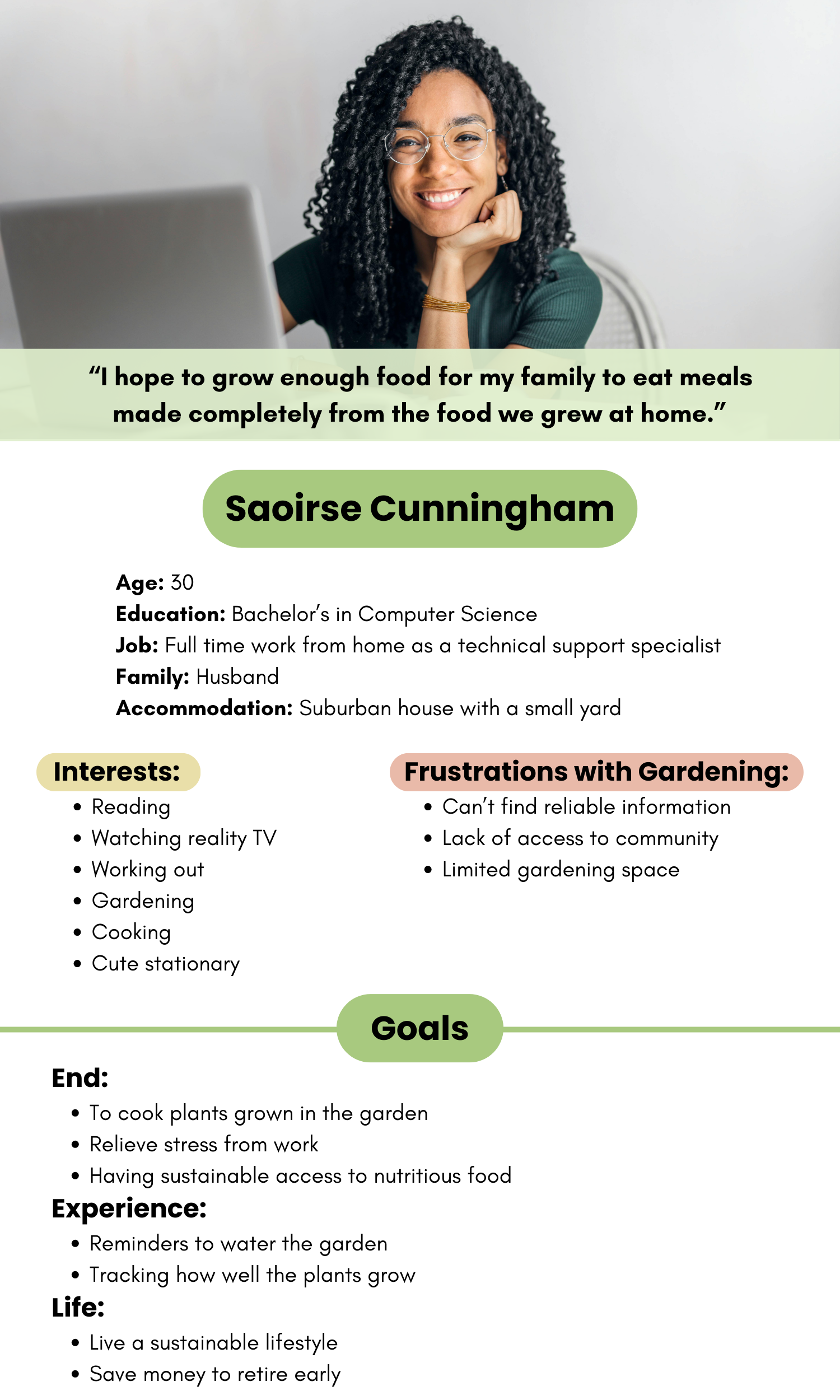
Based on our user research, we were able to make two personas. One focused on the needs of a student, the other focused on the needs of a full-time worker. As someone who is still establishing themselves, the student persona highlighted the challenges of balancing limited time for gardening. The full-time worker, on the other hand, while they do often have challenges of balancing time commitments, we found that they also may have challenges on connecting and contributing to their community and planning out their gardens.
Within this section, we explored the barriers identified in our research and requirements section within the perspective of our personas using a storyboard to highlight the persona usage scenarios and lo-fi wireframes.
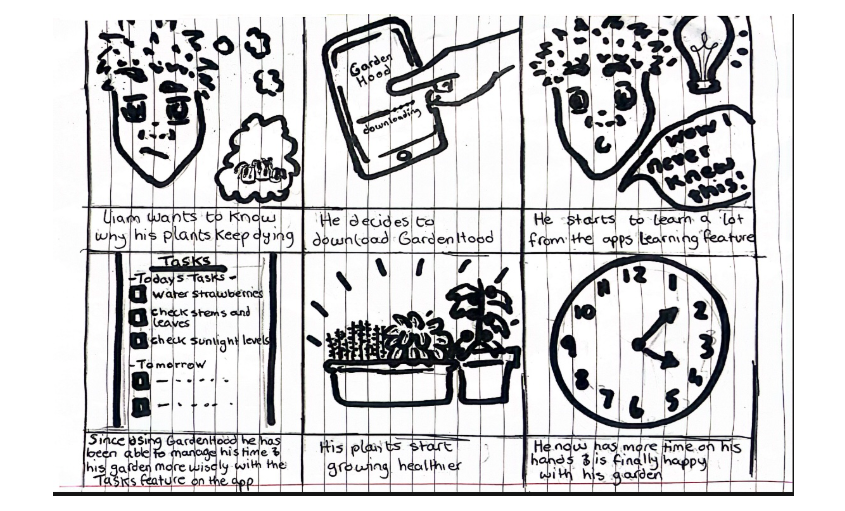
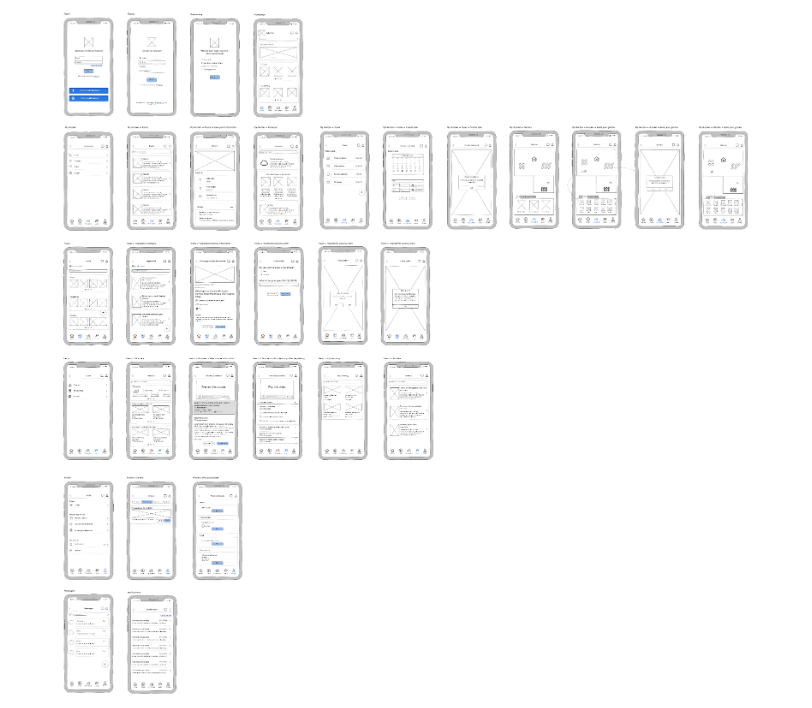
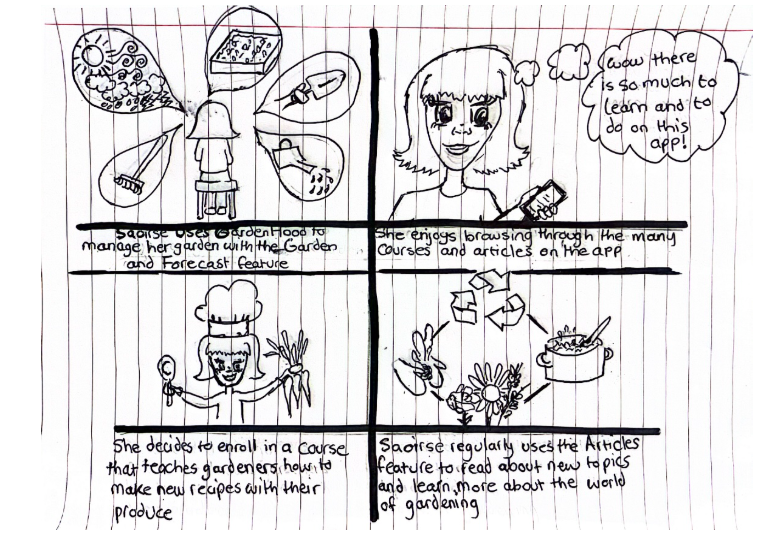
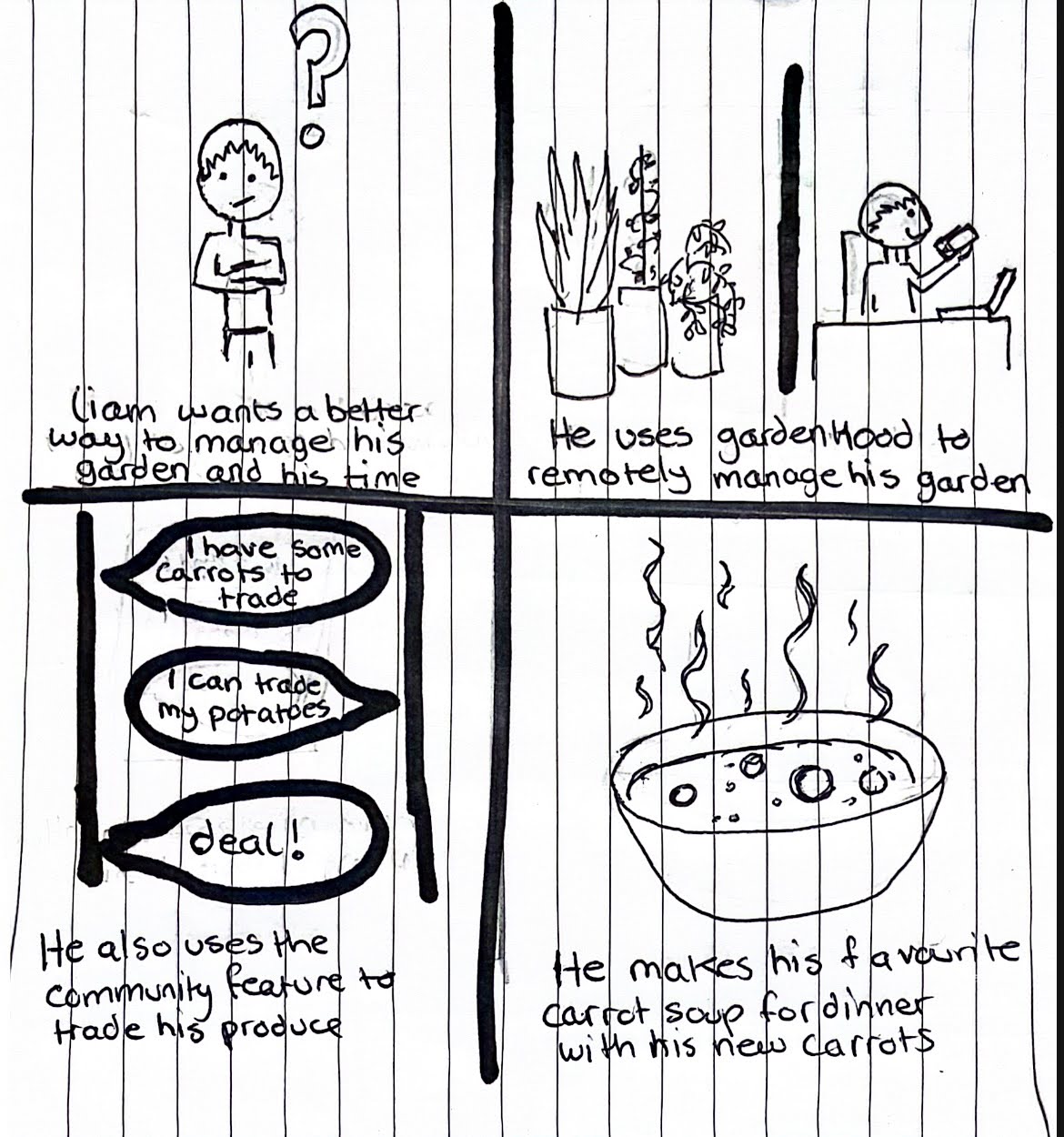
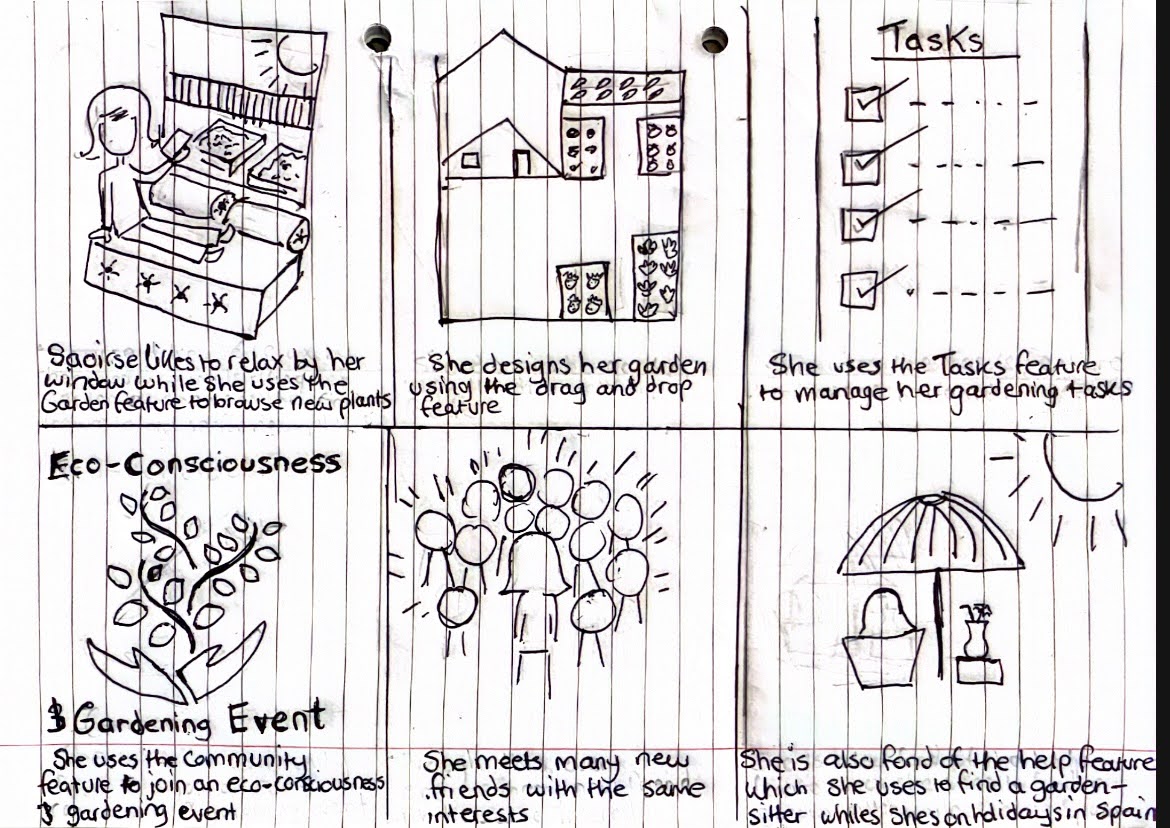
We brainstormed several features we wanted to include that would address the concerns of our personas and created two wireframes. These wireframes either focused more on learning about gardening in a more individualistic environment or through social interactions with others in the community. We created storyboard walkthroughs for each of these wireframes for both personas.
Wireframe 1 (image on the left) included a learning center that offered tutorials, tips and articles that would allow users to learn on their own. There was also a trading platform that allowed users to trade or purchase gardening items, fostering resource sharing among communities. There are many classic garden managing features such as a task manager and a garden planning whiteboard. We identified some drawbacks of this design such as limitations on available tailored knowledge. While the tutorials, tips, and articles would have provided excellent knowledge, they would probably fail to answer unique or complex questions gardeners often have which would lead to users leaving the application to look for their answer elsewhere.
Storyboard for Liam
Wireframe 1
Storyboard for Saoirse
Wireframe 2 shifted its focus onto community interactions, providing a socially driven experience for gardeners. This wireframe included features like a Q&A forum and events that encouraged users to share their knowledge and connect with other people with the same passion or curiosity. Building on the community connection, we also included trading and help requests for users who are seeking help with physically taking care of their garden. For example, one user might need to go out of town for an emergency and can request help through this help section. Like many other plant-care applications, we also decided to include an AI-based plant recognition feature to identify plants for optimized care. However, we do understand that the social complexity of this wireframe may not appeal to users who are looking for a simpler gardening experience.
Wireframe 2
Storyboard for Liam
Storyboard for Saoirse
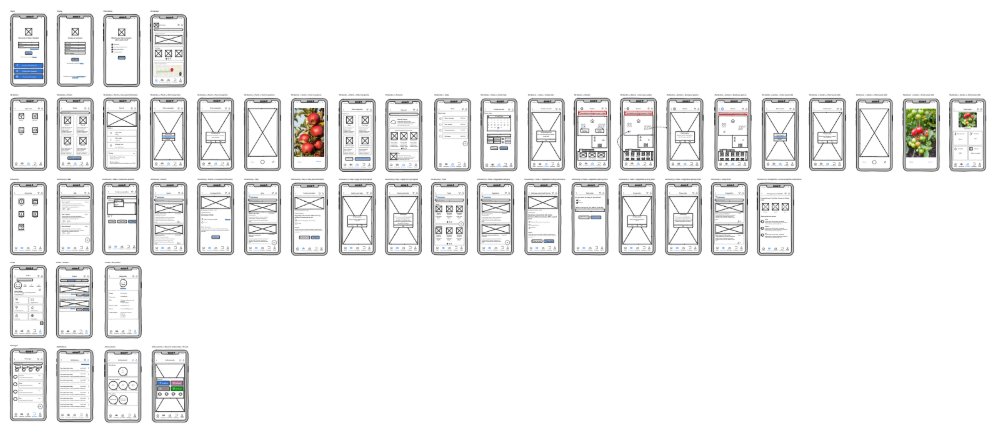
After creating these scenarios and wireframes, we decided to go through and choose different features that would best respond to the problems identified in our user research. The final version aimed to harmonize the advantages and address the disadvantages of both prototypes.
Using Figma, an online prototyping tool, I created our interactive garden app named GardenHood. First, I developed a branding guideline to ensure the same font styles and colors are used throughout the prototype before creating components and building screens. The app style was chosen to provide a colorful yet minimalistic design to reduce cognitive overload of the amount of information and features provided.
The key features of the app were divided into four sections: Home, My Garden, Community, and Profile.
The entire prototype was set to the everyday settings of one of our personas to show how the app would be used by an average user who is equally engaged with their garden and the community. Due to this reason as well as time constraints, an initial sign-up and tutorial process was not created during the first iteration of the hi-fi prototype.
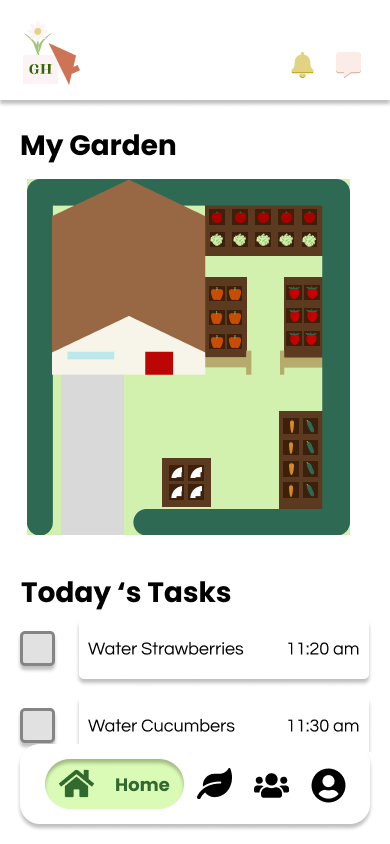
The Home section provides easy access to features that our users commonly use. Our prototype shows my garden customizer, a checklist to stay on task, new events in the local area to stay involved in the community, and new videos posted by other users.
The My Garden section provides users with multiple features to observe, take care of, and expand their garden.
A list that gives users an overview of all the plants in their garden.

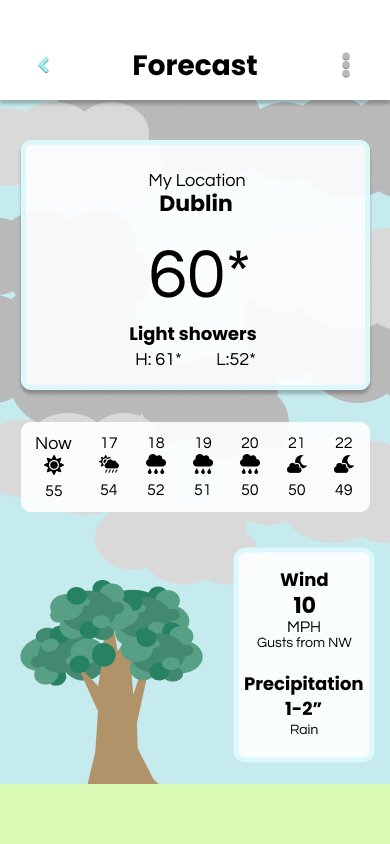
The Forecast allows users to understand how the weather will affect their plants with visual clues like the clouds and wind speeds.
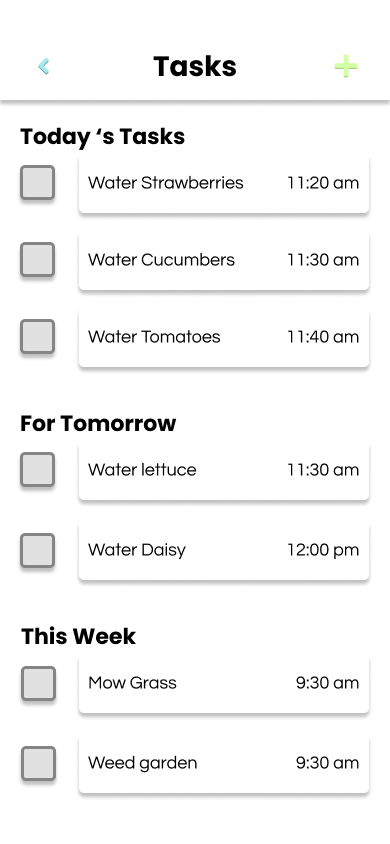
Many users in our survey preferred having a task list to stay organized with all their watering times, so we included a task list with tasks specific to each plant.
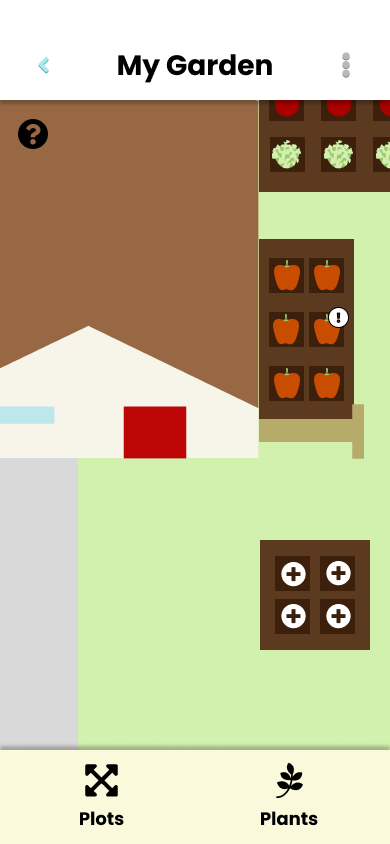
This garden customizer that allows our users to use their limited space wisely, which is especially helpful for indoor gardens. Users would be able to drag and drop shapes, and templates or even draw their plots and eventually add plants. The prototype currently only allows users to add plants to the garden plots available.
To facilitate growing a community, our app allows users to volunteer, join and create events, trade seeds, cuttings, or plants, ask questions to the online community, read fact-checked articles, and watch online videos for entertainment or educational purposes.
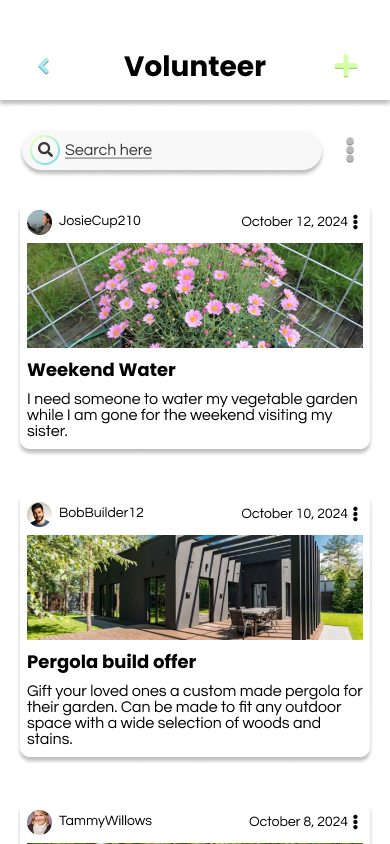
To create a community without monetary restrictions, we decided to include a volunteer feature from the second lo-fi prototype. This feature allows users to start engaging with the community around them by volunteering for different projects or jobs. This also allows users to find and determine who would be a good match for their volunteer opportunity, especially if it involves coming to their home.
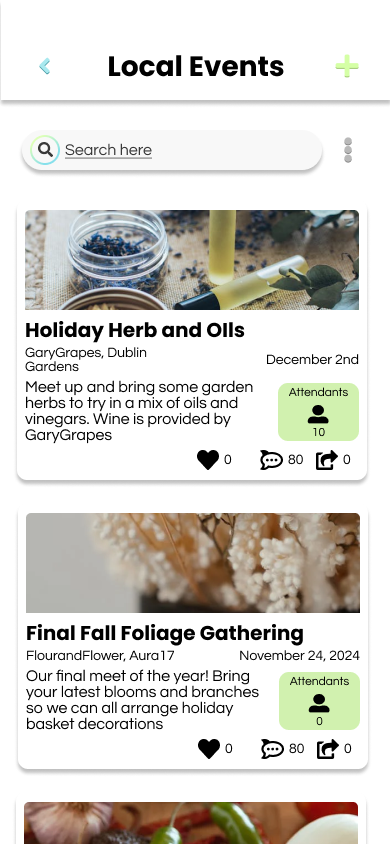
While not everyone is interested in events, we decided to include them as a way for communities to get together and learn more about gardening, plants, cooking, or to get involved by cleaning the local area. Users can save the events, RSVP, or reach out to the event organizers to learn more.
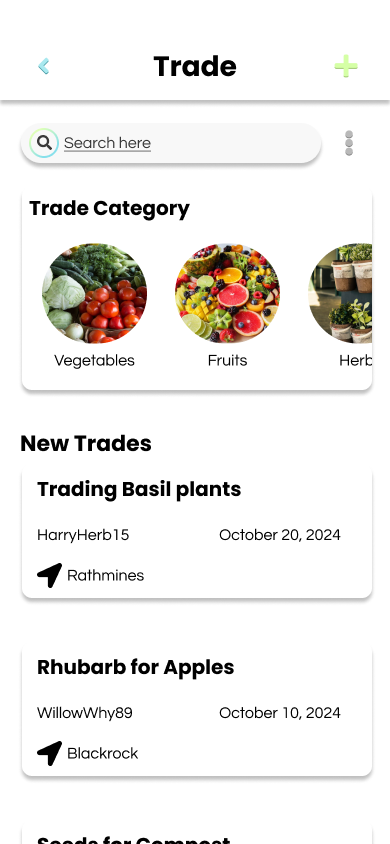
Inspired by the trade feature in the first lo-fi prototype, our hi-fi trade feature allows users to engage with the community and exchange seeds, cuttings, herbs, and plants they may normally have to pay for. Each trade gives a general location as well as details about why the poster needs the trade. Those interested in trading can reach out to the poster in messages to offer a countertrade offer or discuss more details.
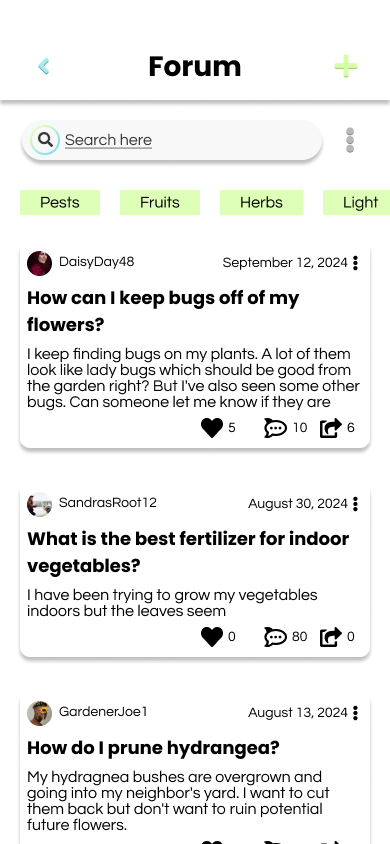
The forum allows users to ask questions and receive feedback from other gardeners. This allows users to actually verify who the source of their information is and ask for clarifications, something not always possible with online gardening blogs.
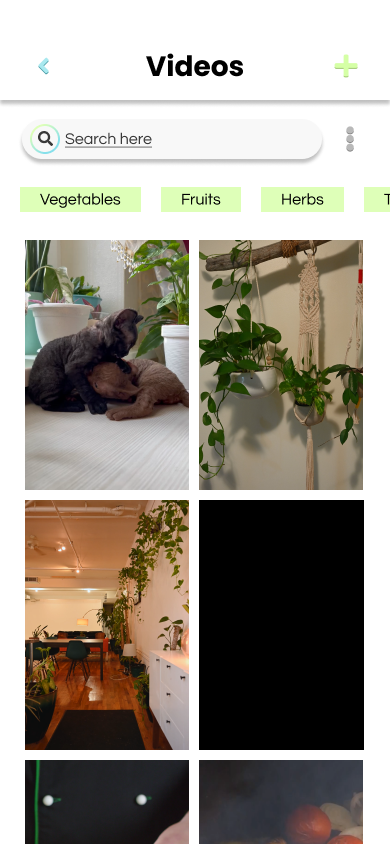
Many of our survey respondents said they learned more through social media, so we included videos that can be beginner-friendly, educational or entertaining.
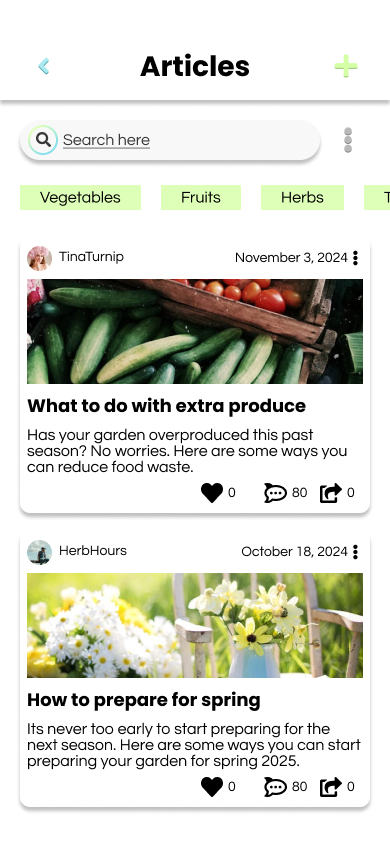
Not everyone wants to directly interact with other users so we created the articles page as an alternative point of information. The article information would be verified by the GardenHood team and experts to ensure that users can get the best information they can. The articles in the prototype were created to have an easy to read format and the content was generated using Chat GPT.
The profile, much like the home page, provides easy access to things the user needs. In this case, the user needs easy access to the things they have created, such as volunteer applications, forum posts, videos, and event RSVPs. The profile also allows access to notifications, messages, settings and achievements.
In order to see if our prototype was going in the right direction, we conducted two semi-structured interviews and a heuristic evaluation. Ideally, we would have done a usability test after the lo-fi wireframes were made but due to lack of time, we kept all evaluation for after the creation of the hi-fi prototype.
Our interviews included two participants who have previous experience gardening or enjoy learning more about gardening. During the interviews, we asked our participants to engage with the think-aloud protocol to verbalise their thoughts and expectations while completing the given tasks. The tasks involved navigation of the screens. Following the think-aloud protocol, we asked six follow up questions to gain a better understanding of their experience.
From these interviews, we learned that some of the prototype features were confusing to use such as the plot spaces in the My Garden customization page or the plant page search functionality. However, both participants appreciated the ability to plan their garden as if they were to plan the room layout with the IKEA interior decorating app.
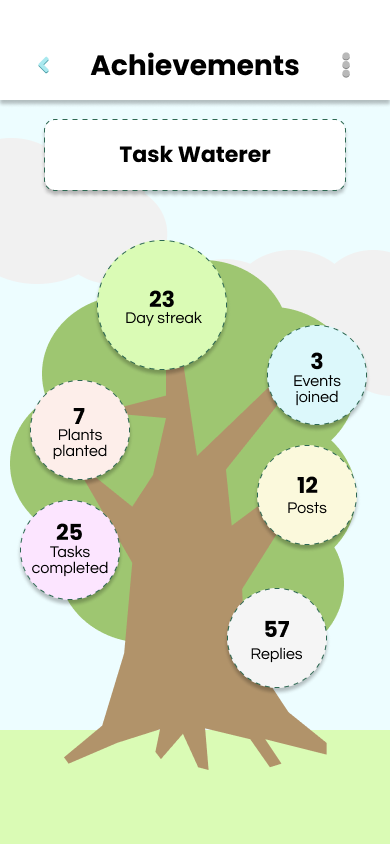
The community page drew the most fascination with the pages on trade and volunteer features as our participants have often wanted a seed bank and trade system with other gardeners. Due to the lack of onboarding, our participants were concerned about some of the community features such as the credibility of the articles. However, this concern was appeased when they saw that in order to publish an article on the app, the content was to be reviewed by a separate team before publishing. The achievements page is where our participants had major differences in opinions. One participant did not like that some of the achievements revolved around socializing, such as going to events. As someone who would not socialize much, those branches of the achievement tree would always remain bare and possibly be a source of negativity. The other participant thought the achievement tree was interesting and would provide a reward for those who wanted to engage more with the app.
The heuristic evaluation was completed by Ann to synthesize the findings from the user testing. It was important to keep in mind the user goals while completing this evaluation to make sure that the issues were framed correctly.
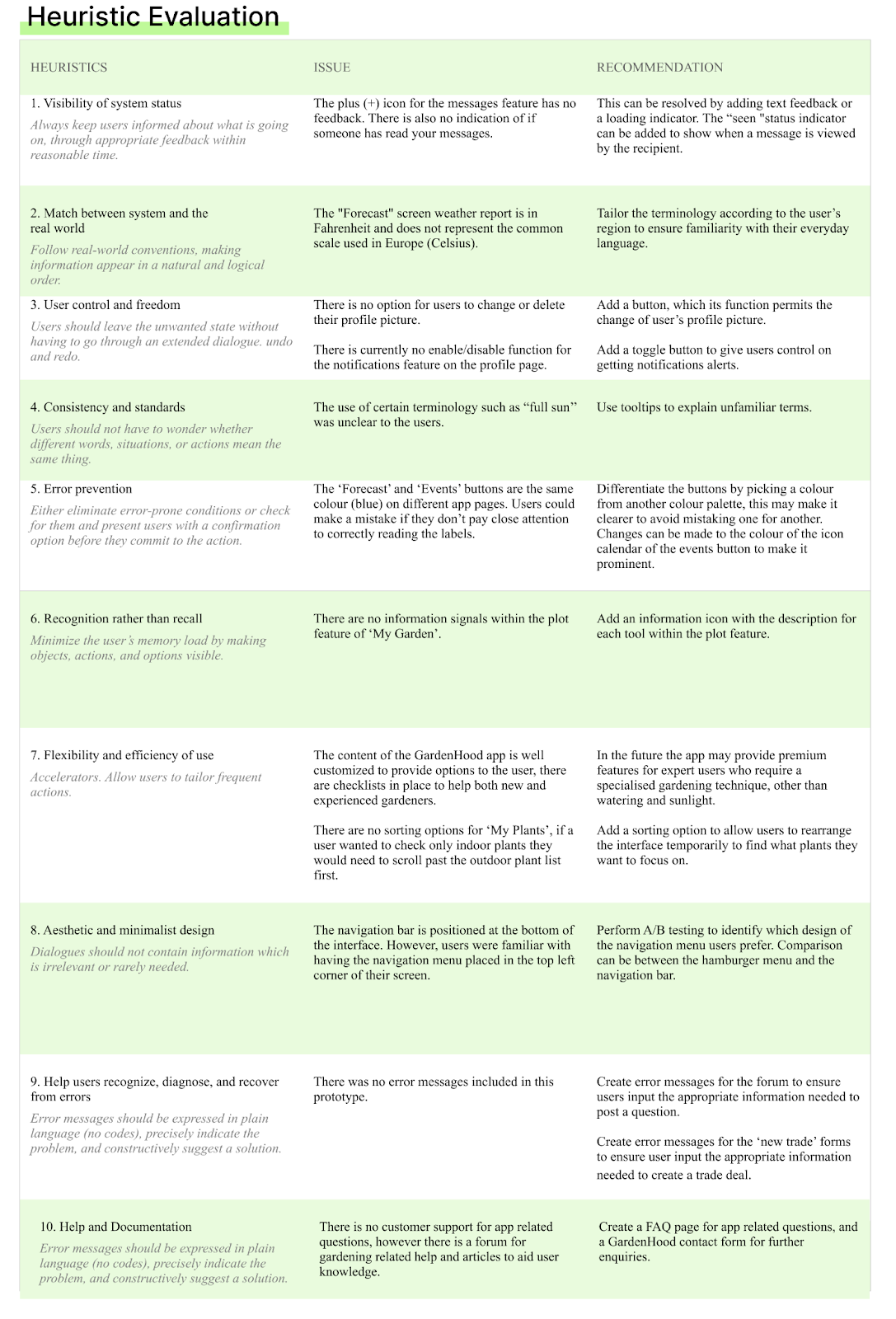
Based on both the user testing and heuristic evaluation we decided that these problems should be addressed in future iterations of the final prototype.
In order to determine if this application actually helps solve some of the food insecurity within urban communities in Dublin, future testing would have to be done with certain community areas within the city.
This project was done during my masters of Human-computer interaction at the University College of Dublin. Many of my teammates have had some experience within HCI and had different strengths. I really enjoyed working on this team and designing an application in response to real issues.
My biggest takeaway was to have advocated for user testing on the lo-fi wireframes. That way we could have better identified the features actual users might have needed to overcome the problems we identified in the research phase. I would also rewrite some of the questions within the questionnaire to make them more clear for those participants. Finally, as I was the only prototyper within the group, I would have tried a different process of prototyping by making sure each page works and is finished before moving onto the next page.